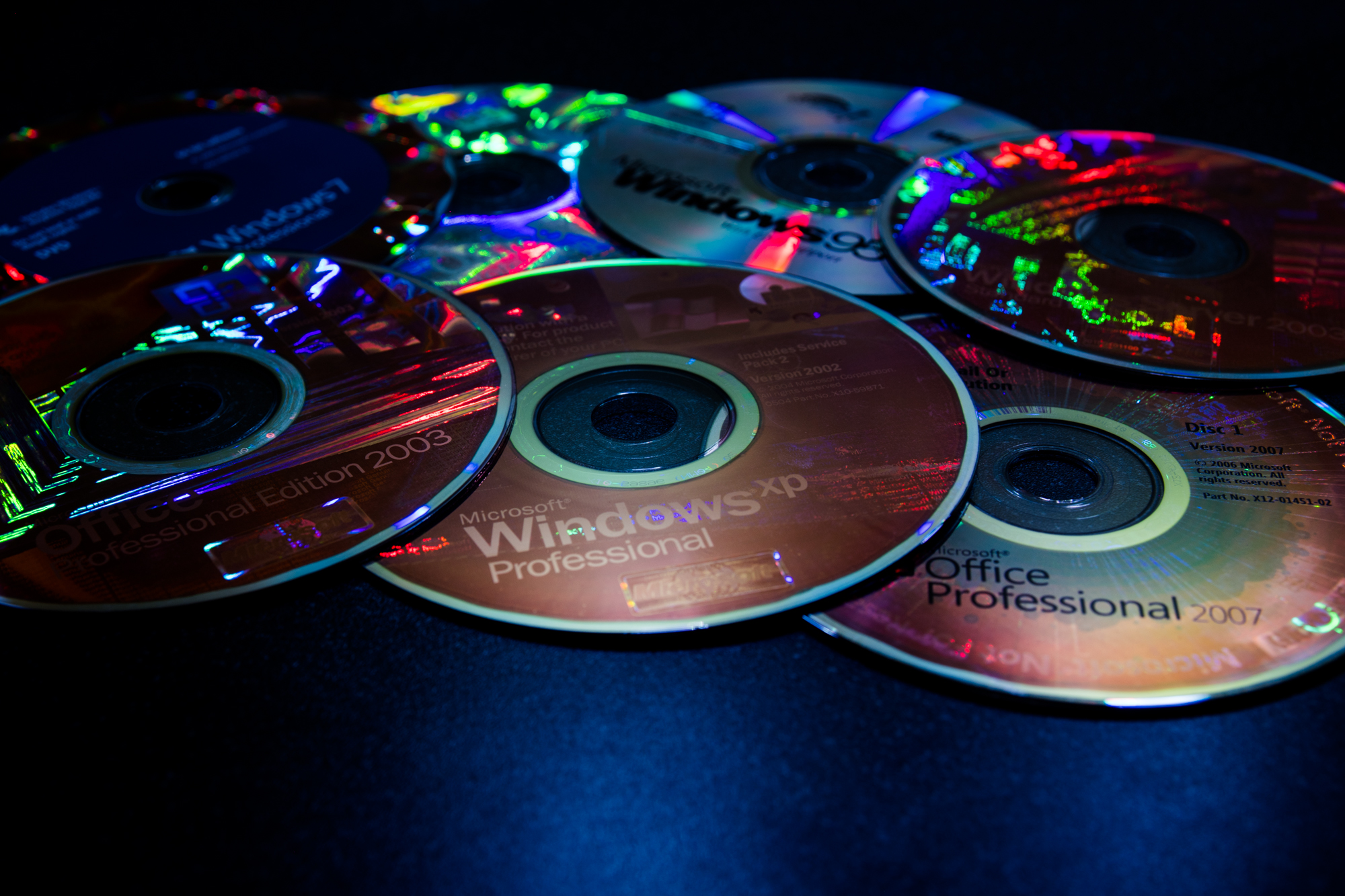
In almost every other post I write I seem to discuss running my software, whether it be a website or an app, on old software. I then usually go into a long explanation about how it doesn’t matter particularly that my software doesn’t work on that particular operating system or in that particular web browser because its market share is low or because users should upgrade. That’s the essence of it really – if the software has been discontinued or is no longer supported by the vendor and its market share is low, then there is likely no reason to continue to support it as a third party developer. However, sometimes it isn’t always as easy as this, so I thought I would write a post about my own thoughts on software lifecycles and supporting older software and refer back to it in future posts when I need to discuss software compatibility.
TL;DR
To summarise the whole post:
Should I support Internet Explorer in 2018? Not unless your clientele or a stakeholder says that you absolutely have to. Only support Internet Explorer 11 if you have to support any version of Internet Explorer.
Should I support older releases of popular browsers? Generally there’s no need to as users are upgraded automatically, but again if a stakeholder insists you have to, then unfortunately you do.
Which browser version should I test my site in? The latest, or the target version as determined by a stakeholder.
Do I still need to support Windows XP in 2018? Likely not, but if a stakeholder insists you must then unfortunately you have to.
Which versions of Windows should I support in 2018? Only Windows 7 SP1, Windows 8.1 and the latest versions of Windows 10.
Is there any reason I might still need to support a discontinued version of Windows? Probably not.
Do I still need to support Windows 7 in 2018? Yes, because it is still supported by Microsoft, holds at least 40% of the Windows market share and is still compatible with most modern frameworks, software and hardware.
Should I use Windows Forms or WPF for my Windows .NET app in 2018? WPF is the way to go!
Which mobile operating systems should I support? Only the two or three most recent versions of iOS and Android.
Which versions of iOS should I support in 2018? Primarily iOS 10 and 11, but iOS 9 support can be considered if you want your app to be compatible with some holder hardware (for example the iPad 2 and 3).
Which Apple devices should I support in 2018? Primarily those that are compatible with iOS 10 and later, so anything produced by them since late 2012 or early 2013.
Which versions of Android should I support in 2018? Primarily Marshmallow, Nougat and Oreo but Lollipop should also still be considered because it holds a high market share.
Should I develop Windows 10 UWP apps even though Windows 10 Mobile is dead? UWP apps are still a good option for developers looking to build Windows 10 apps that run on a range of Windows 10 devices, despite the fact that Windows 10 Mobile is deprecated. However, their functionality may be limiting for some, so WPF apps could be considered instead.
Should I continue to support and develop Windows Phone 8 and/or 8.1 apps? No because the chances are anybody who was using these operating systems has moved to another platform by now and the die-hard Windows fans have moved to Windows 10 Mobile.
That’s the article in short! If you want to read my full explanations and reasoning for these opinions (with the data!), continue reading. Otherwise, I hope I saved you hours of trauma trying to get your software working on obsolete platforms!
Should I support Internet Explorer in 2018?
Or 2017, or 2016, or 2015… this question has been on many people’s lips for years! And the answer is (annoyingly): it depends.

What makes Internet Explorer ‘obsolete’?
Quite simply, the fact that Microsoft is no longer developing it and adding new features to it. All they are offering are security updates to protect against vulnerabilities. The lack of feature updates means that IE is beginning to become unable to run some modern websites that rely on rendering engines and modern web standards that IE does not, and never will support. This means that as a browser, IE is beginning to provide an insufficient browsing experience and is therefore ‘obsolete’.
Microsoft discontinued development of Internet Explorer in July 2015 when Windows 10 was released with Edge as the new default browser.
If you must worry about Internet Explorer, only worry about the last version
The first thing that must be known about supporting Internet Explorer in this day and age is that only the last version of it (11) should even be considered. I say this for three reasons:
- Firstly, Internet Explorer 11 is compatible with Windows 7, 8.1 and 10 which are all still supported by Microsoft and collectively make up around 94% of the Windows market share (as will be revealed later!)
- Secondly, Internet Explorer 11 is the final version of Internet Explorer and has not had a major update for three years and was released five years ago – so it is an ‘old browser’ but it is still supported and maintained by Microsoft with security updates, even if no new features are being developed for it.
- Thirdly. despite Microsoft’s best efforts Edge has not been a successful business/enterprise replacement for Internet Explorer, thus many organisations still use Internet Explorer 11 as the default browser due to the fact it can easily be controlled with group policies, is the only browser that can run ActiveX controls and because it is compatible with Windows 7 which many organisations still use.
It’s true that Internet Explorer 8, 9 and 10 are also compatible with Windows 7 and some developers may be concerned about trying to support these older versions. There’s no need to try and support them on Windows 7 because 11 can be installed via Windows Update – which also means that it has likely been automatically installed. Internet Explorer 11 is included in Windows 8.1 and 10.
The Windows versions that IE 11 cannot be installed on make up around 6% of the Windows market share, so it’s unlikely that a user is going to access your site from one of those operating systems. Also bear in mind that with IE 8 being the latest version compatible with XP and IE 9 with Vista, users of these operating systems will likely be using another browser anyway since these antiquated versions of Internet Explorer do not provide a positive browsing experience. At the time of writing, the latest versions of Chrome (49), Firefox (52) and Opera (36) that are compatible with XP and Vista are a couple of years old. They’re old – but not as old as the seven year old IE 9 and nine year old IE 8 from the previous decade – so XP and Vista users are likely using a different browser anyway.
Windows 8 makes up around 3% of that 6% market share and Windows 8 users can simply upgrade to 8.1 for free to get IE 11, so technically the share is reduced to just 3%. That’s not enough to endure the pain of trying to make a modern website work with antiquated versions of Internet Explorer that XP and Vista users aren’t using anyway. Remember that IE 9 barely supports CSS 3 and IE 10 just about supports it, so imagine how your CSS 3-dependant websites are going to look on IE 9 and 10! Even more horrific is that support for modern interpretations of JavaScript and jQuery in IE 8 and older is practically non-existent. Imagine that!
It’s old data, but even back in December 2015 around half of all web traffic from IE was from IE 11, so even three years ago there was no point in thinking about IE 10 or older.

How many people are still using Internet Explorer in 2018?
The next thing to consider once you have forgotten about IE 10 and older is Internet Explorer’s market share. How many people are actually still accessing the web from Internet Explorer? The answer, according to StatCounter is around 3%.

This data likely includes mobile browsers too (hence why Safari’s share looks high and Firefox’s looks pretty low) but that’s OK because mobile browsing makes up such a big part of web browsing in this day and age.
Let’s keep this short and simple: 3.13% is a very low percentage, compared to Google Chrome’s 57.69%. Once upon a time Internet Explorer’s market share was this high – in fact it was so high that various governments and the EU accused Microsoft of monopolising the web browser market by including Internet Explorer with Windows and not making Windows users aware of alternative browsers! These days are ancient history now with Chrome being the clear favourite on the desktop and on mobile too.
One reason why Internet Explorer’s share has plummeted is due to the fact that a mobile version of it no longer exists and in a world where just over 50% of all web traffic is from mobile devices, that’s not good for increasing browser market share.

The last mobile version of Internet Explorer was again version 11 which was released with Windows Phone 8.1 back in April 2014 – and that’s the only operating system it can run on. We all know that Windows Phone’s market share has taken a nose dive over the past few years and in October 2017 Microsoft discontinued the platform, so that means that a tiny tiny amount of people are browsing the web from Mobile Internet Explorer. If the data below showing mobile operating system market share is anything to go by, then potentially close to 0% of the market share is still using the browser!

If Mobile Internet Explorer is still able to display most modern web pages, it’s just by coincidence and almost certainly not by design given Windows Phone’s low market share. There is no need to spend time and effort making a website look good on a mobile version of Internet Explorer because so few people use it.
Those who are still using Windows Phones are generally using Windows 10 Mobile on their device now and so are browsing using the Edge browser. It’s the same Edge browser that runs on desktop computers running Windows 10. Edge is a current browser and has some market share behind it so it is worthwhile testing sites in it. If they work fine in the desktop version of Edge when the browser window is resized, they’ll work fine in Edge on a Windows 10 Mobile smartphone, so you can still make your sites accessible to Windows Mobile users that way.
Does Internet Explorer generally have a big enough market share to warrant developing solely for it? Not really – and the only direction its market share is going in is south. Just look at the trend since 2009 (according to StatCounter again).

Does my target audience still use Internet Explorer?
Only you as a researcher or a developer can answer this. Statistically, they likely don’t, but in practice they may.
Although Google Chrome has it’s own Group Policy section in the Windows Server Group Policy Editor (meaning that IT administrators can manage and modify software across networks), Internet Explorer still remains one of the most configurable browsers through Group Policy which a lot of Windows-based domains use to configure and manage networked machines. The other thing that keeps IE prominent in the business market is the fact that a lot of business applications require ActiveX plugins which are only compatible with Internet Explorer. The fact that IE is still used a lot in enterprises is one of the reasons why Microsoft continues to provide security updates for the browser and patch endless ActiveX exploits. That being said, many organisations who have not upgraded from Windows XP have been forced to switch to Google Chrome or another browser in their enterprise since Internet Explorer 8 no longer provides a sufficient or safe browsing experience.
However, despite Microsoft feeling that enterprises would remain loyal to Internet Explorer, the development of new software that doesn’t require the use of ActiveX controls, the rapid discontinuation of Adobe Flash Player (and the fact it is built into Chrome) and the fact that as each day goes on, Internet Explorer becomes less and less compatible with the modern web because of its outdated rendering engines, has meant that by May 2017 some sources were saying that Google Chrome is now also the preferred browser in the enterprise – as well as on the personal desktop and smartphone!
Historically Internet Explorer usage remained very high in certain regions – typically in Asia and developing markets – which meant that if you wanted to build a website that worked globally then compatibility with Internet Explorer was a must. However, browser market share statistics for China in March 2018 show that once again, Chrome is the favoured browser.

Usage of Internet Explorer in China is slightly higher than the world as a whole (about 1% higher), but still over half of the web traffic from China is thought to come from Chrome. Data for the whole of Asia is even more interesting with Internet Explorer not even being one of the six most popular browsers and the Samsung Browser on Android therefore holding a higher market share! It’s likely that in the developing world Windows is no longer a popular choice with Android smartphones being the computer of choice for the emerging markets since they are usually inexpensive and readily-available.

Is your audience using Internet Explorer? Very likely no, but before you embark on a web development project it is important to find out if any stakeholders involved with your project are.
‘Should I support Internet Explorer?’ I hear you ask – here’s the answer!
The chances of your audience never using Internet Explorer is very high looking at all of the data above. This generally signals that no, you do not need to worry about Internet Explorer compatibility in 2018. Instead you should focus your efforts on supporting popular browsers such as Chrome and Safari and up-and-coming browsers such as the Samsung Browser.
There’s no harm in occasionally trying your website in Internet Explorer and seeing how it looks. If it looks good then that’s great – Internet Explorer 11 isn’t new but it’s not so old that it can’t display anything, so the chances are that it will look just ‘OK’ – but probably not as good as it would in a more modern browser. If your site doesn’t look good in Internet Explorer at all then it is easy enough to use HTML or a JavaScript script to redirect the user to a page informing them to use another browser.

By not supporting Internet Explorer you will save so much time and energy by not having to make cumbersome adjustments to your code just to get it to display properly and you also increase the chances of your site working properly in modern browsers by not fiddling with your code to make it good on a five year old browser that potentially only 3% of the worldwide population is using. For most developers, it is more important at this stage to make sites look good and function correctly in modern browsers than it is to risk that by getting it to work in IE. And you seriously have no chance at all of making your site work correctly in any version of IE older than IE 9 – so don’t even try!

The exception
The exception is if you need to develop a web app that uses ActiveX controls or you need to a develop a site that a stakeholder has stated must be compatible with Internet Explorer. At this point in time, it’s a pain and a shame to do this, but if you have any leverage on the topic please only worry about compatibility in IE 11 since that is the version of IE your stakeholders should be using. Using an older version exposes you to security risks (a really bad idea if you need to develop an ActiveX app given how many nasty exploits exist for it!) and makes developing web pages extremely difficult given that modern IDEs encourage you to code using modern web standards such as HTML 5, CSS 3 and JavaScript and jQuery which are not fully compatible with versions of Internet Explorer older than 11. Even Internet Explorer 11 has trouble interpreting HTML 5 and CSS code implemented into the language since its last major updated in 2015 – for example IE 11 cannot interpret ‘viewport’ measurements correctly! Using viewport in IE 11 often results in a stretched image.
Supporting outdated versions of other browsers
When people think of ‘outdated browser’ they typically think of Internet Explorer. Whilst it’s true that Internet Explorer (any version of it) is an outdated web browser at this point in time since the final version of it (11) was released in October 2013, let’s not also forget that browsers such as Chrome, Firefox, Opera and Safari also all eventually go out of date – and fast!
How quickly do browsers become outdated?
At the time of writing (April 3rd 2018), the latest release of Firefox is 59.0.2 which was released on March 26th 2018, just over a week ago. It’s also the only version of Firefox that is currently supported – the version that went before it (59.0.1) was released on March 16th 2018 and already it has been discontinued. Firefox 58, released in September 2017, is ancient history at this point in time. As far as Mozilla is concerned, it probably doesn’t matter too much if a website doesn’t work in Firefox 58 as most people will be able to upgrade to Firefox 59 easily enough.
The same is true for Chrome. At the time of writing the latest stable version is 65 which was released on March 6th 2018. Chrome 64, released on January 23rd or 24th 2018 (depending on operating system) is already discontinued and ancient history. Chrome 63, 62, 61 and older – completely discontinued and out of Google’s mind.
The latest stable release of Safari is 11.1, released on March 29th 2018. Safari 10, released on July 19th 2017, is all in the past. Again, Apple would recommend that the user upgrades their browser.
Opera 51, released February 7th 2018, is the only supported version of Opera with version 50 and earlier being cosigned to the history books as far as Opera is concerned.
The interesting thing is that whilst Internet Explorer 11 hasn’t seen a major update since July 2015, it does still continue to receive security updates from Microsoft whereas Firefox 58, Chrome 64 and Safari 10 are years and years newer than the latest version of Internet Explorer 11, but have all been discontinued!
It appears that most web browsers have a shelf life of about 6-12 months, sometimes less (in the case of Firefox!) It also appears that as soon as a new version of a browser comes it, the previous version is immediately cosigned to the history books. It’s not like operating systems where support lasts for years and years and several versions of the same OS are often supported by the vendor at the same time.
Reasons for not supporting older releases of browsers
The main, and best, reason to stop supporting older browsers is that people should upgrade their browsers. Most browsers automatically update so this is not a huge problem.
Look at the graph below – it shows worldwide market share of different versions of some popular browsers between April 2017 and January 2018.

As can be seen from the graph, the market share of Google Chrome 63 went from 0% to around 40% in practically no time at all, peaking at over 50% around January 12th 2018. When Google Chrome 64 was released its market share again went from 0% to around 50% fairly quickly and the market share of 63 rapidly declined. Then the same happened again with Google Chrome 65 when it was released earlier this year. The share of 65 went from 0% to 50% in no time at all and the share of 64 declined sharply. This is because Google’s Chrome huge market share (it’s between 57% and 59% according to most sources) means that so many people are automatically updated to the newest releases of it instantly.
This means that very few people are still using Google Chrome 63 or 64. Why try to make a website work perfectly on a browser that virtually nobody is using?
Let’s look at the market share of the six most recent versions of Windows:

Looking at the market share for anything older than Windows XP is a waste of time since older versions will only be used by enthusiasts on older systems looking to rekindle a nostalgic experience, not attempt to use the modern web on a 20 year old operating system.
Given that all of the modern browsers support Windows 7, 8.1 and 10 which make up a massive 93.47% of the Windows market share, it should be expected that unless you need your site to function in Windows XP or Vista for whatever reason (perhaps an enterprise you are developing a site for is still using one of these discontinued operating systems), you can rest safe in the knowledge that your site will likely work fine in any of the major browsers on Windows. Some modern browsers may even work on Windows 8, but if they don’t then the user can (and should!) simply upgrade to 8.1 for free since Microsoft has not supported Windows 8 for over two years now.
So is it worth worrying about supporting old browsers versions when dealing with Windows? Only if you know that the majority of your audience or stakeholders are still using Windows XP or Vista – and if they are then they need to upgrade!
Reasons for supporting older releases of browsers
The only real reason that I can think of is that if you need to ensure that certain operating systems are supported then you might need to make sure that the latest compatible version of the browser you want to use displays your site correctly. For example, if you want to make a website that works in Internet Explorer but your users all use Windows Vista, then you might need to make sure that your site works perfectly in Internet Explorer 9 which is the final version of Internet Explorer to work on Vista. Testing it with Internet Explorer 11 would be no use since it’s not compatible on the operating system you want to use.
Look at the graph below which shows Android operating system market share in February 2018.

The latest version of Android at the time of writing (April 3rd 2018) is Oreo which holds a very low share of 0.8% because not many new handsets with the OS have been released yet and vendors have not pushed the updated. Nougat, Marshmallow and Lollipop are all popular versions of Android still in use on a lot of handsets. It’s likely that at the time of writing, the latest version of Chrome is compatible with Nougat and Marshmallow but it might not be compatible with Lollipop which is an older version. I know for a fact that the last version of Chrome to work on KitKat is 40 which was released in January 2015. This makes it horribly out-of-date, but potentially 12% of Android devices out there might be affected by this. If you know that a lot of your audience is using KitKat, then perhaps ensuring that the site works OK on Chrome 40 is a requirement. The thing is though that whilst most sites will still work in this browser, in a few years this version will be extremely old and likely incompatible with any modern website, so really users should upgrade their version of Android or their handset.
What version of a browser should I test my site on then?
The newest available for the operating system that you are intending to support.
But given that most website browser vendors produce 5-10 new versions of their browsers each year and web technologies don’t drastically change that quickly, I think that when dealing with Chrome, Opera and Firefox most websites that display perfectly on the latest version will also display perfectly on a version of the browser from a year ago. That could be 5-10 versions previous. So the chances are that if your site works in the newest version, it will also likely work in a version a versions older. Some of my project work displays well enough in versions of Chrome as old as 40 which is over 3 years old – there are just a few minor compatibility issues.
Should I support older browsers?
Generally, it’s not really something to worry about and the chances are your site will work fine in an older browser anyway. Browsers like Chrome and Firefox automatically update all the time and many users are updated at once, meaning that more people have the latest browser than some might think!
Supporting an older release is only something to worry about if must ensure that a website runs in that particular version of the browser, for example if you have a site that must run on Android KitKat devices and the site must run in Chrome, then unfortunately you will have to ensure that your site runs in Chrome 40. This situation is usually rare and often only occurs in business situations where certain stakeholders may be using hardware or software that they don’t want to upgrade.
You should be developing for the web as it is today and tomorrow – not really for how it was yesterday. It’s not like writing a program to run on Windows or Mac OS X where your customers might be using 4 different releases of the OS – in the web development world your customers generally move forwards with you thanks to automatic browser updates. It’s not even like in the old days when Internet Explorer was the most common browser but having the latest version of it depended on the user having Windows Update enabled – some people would disable Windows Update for all sorts of reasons, but very few people turn off program updates in their browsers.
By not being concerned about old browser support, you will save time and energy by not having to fiddle with code to make it run in old browsers whilst risk breaking it in modern browsers. You can then put your energy in developing for current and up-and-coming browsers.

Supporting older operating systems
The next section of this post is aimed at those developing desktop and mobile apps wanting to know which operating systems they should be supporting in 2018.
Do I still need to support Windows XP in 2018?
This is the OS equivalent of the ‘Do I still need to support IE in 2018?’ question that was discussed earlier, but this one is a lot easier to answer.
No.
Windows XP has not been supported by Microsoft for four years now, modern frameworks and technologies are not being ported back into Windows XP and it’s market share is declining rapidly. Currently it only holds about 3% of the Windows market share.
Just like it’s possible to write websites that work on Internet Explorer, it is still possible to write software that is compatible with Windows 10 and Windows XP, but it shouldn’t necessarily be the goal. Whilst Microsoft .NET Framework 4 is still a valid .NET Framework version to build software on and still works in Windows XP, in the future the move to ‘universal’ apps that run on a large range of devices and as newer versions of .NET Framework become more popular and more software is written on them, XP will become more and more obsolete. The introduction of more and more web apps (which we know XP has no hope of running since the newest browsers it can run are already several years old) will also make XP’s obsolescence show. Windows XP is also incapable of running on modern hardware such as tablets and modern laptops and desktop computers due to incompatibilities with the CPUs in these devices and the fact that hardware drivers are no longer being written for Windows XP.

Which versions of Microsoft Windows should I support in 2018?
The answer to this one is fairly straight-forward.
If you’ve read the piece above about web browsers, you’ll have read that currently Microsoft supports Windows 7, 8.1 and 10 (as well as Windows Server 2008 R2, 2012, 2012 R2 and 2016). The consumer operating systems account for just under 94% of the Windows market share meaning that statistically, 94% of people who are going to use your Windows app will be using a supported version of Windows. The 6% that aren’t are either using Windows 8 (3%) or Windows Vista and older (the other 3%). The 3% that are using Windows 8 can simply upgrade to 8.1 for free to get an OS that’s going to be supported until 2023 and the 3% using Vista and older will be very used to software not working on their operating system and should really consider upgrading!
Software vendors tend to support Windows versions for as long as Microsoft does. Microsoft discontinued support for Windows XP in April 2014 and by 2015 and 2016 a lot of new software was incompatible with Windows XP. Microsoft discontinued support for Windows Vista in April 2017 and even before this date, some new software was not compatible with Windows Vista. Some vendors stopped producing new software for Windows XP and Vista at the same time. For example, the final version of Chrome to work on XP and Vista is Chrome 49 released in March 2016, the final version of Opera to support XP and Vista is Opera 36 (also released in March 2016) and the final version of Firefox to support XP and Vista is Firefox 52, released in March 2017.
So, the answer is that you should be supporting the versions of Windows that Microsoft supports.

Is there any reason why I might need to support a discontinued version of Windows?
There are only two feasible reasons.
- You are working on a project where a stakeholder specifically requires that the software runs in an old version of Windows.
- You are working on a project that must run on an old version of Windows because it either needs to modify the OS in some way or modify/work with an existing program or piece of hardware that is only compatible with older versions of Windows.
That’s pretty much it. Just like the old web browser debate, if you are involved with a project where an old version of Windows is required then sadly you must try and adhere to that. At this point in time the oldest version of Windows you should focus on developing for is Windows 7, but if you must use an old version of Windows then Vista is currently the best option because:
- Underneath it is much closer to Windows 7 than XP, meaning that some features of 7 are present in Vista but not XP.
- The fact that it is closer to Windows 7 means that most Windows 7 software and hardware drivers are backwards compatible with Vista, potentially enabling Vista to continue to be compatible with modern hardware that might only support Windows 7 and later going forwards.
- 64-bit versions of Vista are superior to 64-bit versions of XP and have far greater support and a much wider range of software available. With 64-bit computing prominent in the current world, a 64-bit version of Vista is favourable to a 64-bit version of XP since it runs on more hardware and software.
- Windows Vista has better support for things like Bluetooth, hardware acceleration, DirectX 10, Windows Device Driver Module and core operating system security that we take for granted in modern versions of Windows, but miss when we have to go back to older versions of Windows that do not have these features.
The data is a little old, but the chart below shows that the 64-bit versions of all of these operating systems make up for 71.06% of the share. 64-bit computing is common nowadays.

However, Vista shares the same problems as XP in 2018 in that the latest versions of modern browsers (Chrome, Firefox and Opera) are all the same as the latest available for XP and they’re all over a year old and by not being supported by Microsoft or supporting any current browsers it is potentially vulnerable to the same security risks that XP is.

Is supporting Windows 7 still crucial in 2018?
As long as you are not trying to implement features that the operating system will never be able to run, such as trying to write a Windows Store or Windows Universal Windows Platform app on the OS, then yes it is still important to support Windows 7 since at least 40% of Windows users are still using it as of March 2018.
Microsoft will discontinue support for Windows 7 in January 2020, so there is still over a year of ‘pretty-much-guaranteed’ Windows 7 compatibility remaining. However, third party software vendors may continue to develop software for Windows 7 for a little longer due to its enormous popularity and high market share. But just because Windows 7 has a high market share now doesn’t mean that it will in 2020. Windows 10 has only been on sale for 3 years and has overtaken Windows 7’s market share and the only direction Windows 7’s share is going in is down. Support from third parties will depend on Windows 7’s share when Microsoft discontinues it in 2020. If it’s as low as Vista’s share was when it was discontinued then some vendors may stop supporting Windows 7 before Microsoft does – that’s what happened with Vista!
Eventually Windows 7 and 8.1 will become like XP and Vista are today. In fact I predict that many software vendors will continue to support Windows 7 until 2023 and then drop support for Windows 7 and 8.1 versions of their software in 2023 when Windows 8.1 support is discontinued, much like what has happened with XP and Vista and also happened with Windows 98 and Me back in 2006.

Windows Forms or WPF for my Windows .NET app in 2018?
Generally speaking, WPF (Windows Presentation Foundation) replaced Windows Forms as the way to develop desktop .NET apps years and years ago, but it is still possible to build a Windows Forms app in Visual Studio 2017 using the latest version of .NET Framework (4.7.1). Quite why is beyond me given that although Windows Forms apps can run perfectly on operating systems as ancient as Windows 98 and 2000 (and no, you should not still be supporting these in most cases!), making a Windows Form app that requires .NET Framework 4.7.1 to run is only going to work on Windows 7 SP1, 8.1 and 10 (and only the last two versions of 10) because they’re the only operating systems .NET Framework 4.7.1 supports, so why bother?
You should only be supporting Windows 7 SP1, 8.1 and 10 anyway and these operating systems can all run WPF apps without a problem. Designing GUIs in WPF apps is easier because the XAML front-end language is much more flexible than the C#, C++ or Visual Basic .NET used to code the front-end of Windows Forms apps and although the back-end C#, C++ or VB .NET code in WPF is very similar to that used in Windows Forms, it is far more powerful with a lot of additional functionality built in. Microsoft would prefer that you use WPF too, after all that’s what the majority of their tutorials are written for and yes it’s true that the code likely works on Windows Forms apps too, but it makes sense to use the newer platform especially given it is still compatible with Windows XP and Vista if you target the app to use .NET Framework 3.5 or 4 (both compatible with XP and Vista).
The only reasons to use Windows Forms in 2018 is if:
- You want to use something like Wine to make your app work on a Unix-based OS like macOS and Ubuntu. However, if you want to write cross-compatible code you should forget about .NET Framework-based apps altogether and use something else.
- For some reason you must write a .NET-based app that runs on Windows 2000 and older, or works on Windows 2000 and a newer version of Windows without any code changes. However, you’ll be limited to using .NET Framework 2.0 if this is your goal since this is the last version of .NET Framework to support Windows 2000.

Which mobile operating systems should I develop apps for?
Let’s refer back to this graph.
It’s clear the iOS and Android are really the only mobile platforms worth developing for at the moment. The other mobile operating systems hold such a small share that it’s probably not worth your time.
Which versions of iOS should I support?
The easiest way to find out is to look at the market share of the various iOS versions, just like we looked at the share of the various Windows versions.

As of April 2nd 2018, iOS 11 holds 81.49% of the share and is also the latest version of iOS. Some older devices can’t run iOS 11, for example the iPad 4 and older iPads, the iPhone 5 and older iPhones, the original iPad Mini and the iPod Touch 5th generation and older. Whilst this leaves a lot of Apple devices compatible with iOS 11, some of the older devices (particularly the iPad 4) are still perfectly usable today with iOS 10 installed, so iOS 10 should also probably still considered when developing an iOS app. Let’s not also forget that some users are sceptical about updating iOS so a lot of users will still be using iOS 10, even if their device is compatible with iOS 11. iOS 10 still makes up 12% of the market share – it’s unlikely that that 12% is made up entirely of devices that potentially 5 or 6 years old – there’s more than likely still a large amount of iOS 11 compatible hardware that still has iOS 10 installed.
I’ve never developed an iOS app so it’s difficult for me to say if developing an app targeted mainly at iOS 10 and 11 is still going to work properly on iOS 9. Let’s assume that it will. iOS 9 still holds 5.43% of the share and whilst this is much lower than iOS 10 or 11, it’s significantly higher than iOS 8 and older – iOS 9 holds over five times the share of 8, but then again 11 holds over sixteen times the share of 9. The fact that iOS 9 has still a fairly significant share again indicates that a large number of people are still using devices that are either so old that they cannot be upgraded to 10 or they just haven’t updated iOS for several years. iOS 10 is incompatible with the iPad 3 and older iPads, the original iPad Mini, iPod Touch 5th generation and older and iPhone 4S and older, so these devices are likely all running iOS 9 now. The thing is though, how many people are still using an iPhone as old as the 4S or an iPad as old as the 3?
Let’s look at the market share.

Potentially only 0.58% of all iPhone users are using a 4S – making it even less common than the sought-after iPhone X! Is it really worth supporting a device that only 0.58% of the share are using? The iPhone 5 is an older device that is also incompatible with the latest version of iOS and even that only held a 1.51% share at the end of 2017. The 5S is the oldest smartphone that Apple still supports and with it holding a 6.43% share there is probably good reason for you to still support it too.
When it comes to iPads the story is a little different. The data below from October 2015 is a little dated, but still noteworthy.

In October 2015 the iPad 2 was still the most popular iPad despite it being over 4 years old at the time – but it was capable of running iOS 9 which was the latest version of iOS available at the time. It’s hard to find more recent data on iPad device share but it is generally thought that iPads have a much longer lifecycle than iPhones (or any smartphone for that matter) because people do not buy iPads on yearly or two-yearly contracts like they do iPhones. In October 2015 the iPad 2, 3 and Mini were all popular devices but since this data has been published iOS support for these devices has been deprecated. Given that the devices that support only up to iOS 9 in this data made up 51% of the share and the fact that this data is over 2 years old, it is likely that the share of iPads that support only up to iOS 9 is well below 50% now with more iPads than not supporting iOS 10 and 11 now.
Remember too that whilst iOS 9 was compatible on older devices, it doesn’t mean that it provided a positive experience. Often it would run slowly because of the limited hardware these devices offered (and some will say due to Apple purposely bottlenecking its performance on older devices, but I’ll leave that up to you to decide if it’s true or not) and eventually the user would likely upgrade to a newer device anyway.
To summarise, developing apps compatible with iOS 10 and 11 should be your priority since the majority of users are using devices that are compatible with these operating systems, and if you want to support some slightly older devices (particularly older iPads) then iOS 9 is also still a consideration. I wouldn’t suggest focusing on iOS 8 or older but if your app also so happens to work in these operating systems then that’s good!
Which versions of Android should I support?
Let’s refer back to the Android market share chart.
This data from February 2018 indicates that Marshmallow was the most common Android version and Nougat and Lollipop were also popular. Of course, Oreo should also be a top priority for Android OS compatibility since it is the newest version. Android runs on so many devices that you can’t really base your reasons for developing for a specific version based on the hardware it runs (unlike iOS), so you have to really go on this data alone. Older versions of Android like KitKat and Jelly Bean are still fairly popular but of course no new devices are shipping with these operating systems and few modern apps still support them – for example the latest version of Google Chrome that is compatible with KitKat is version 40 released in January 2015. That gives you an idea about the development state of KitKat which is a five year old operating system. For comparison’s sake, it was current when iOS 7 was the Apple alternative and Apple has long since deprecated support for iOS 7.
Android updates are done slightly differently to iOS updates meaning that users tend to stay on older versions of Android for longer. Apple has the ability to release a new version of of iOS and push the update to every compatible device on the same day, regardless of your mobile phone operator or region, because only Apple’s own products can run their software. Android updates are pushed to approved devices by the mobile phone operator, usually when they are sure that the update is stable. Some operators are much faster to release updates than others and some just don’t bother at all, meaning that Android version usage tends to be ‘staggered’ – for example right now 28.1% of all users are usually Marshmallow, 22.3% are using Nougat 7.0, 6.2% using Nougat 7.1 and 19.2% are still using Lollipop – either because their device is incompatible with Marshmallow or because their operator simply hasn’t pushed any updates.
To conclude, Lollipop, Marshmallow, Nougat and Oreo are the Android versions to focus on in 2018 based purely on market share. Eventually Lollipop will be like KitKat in that it should only really be considered if you know that a large percentage of your customer base is still using the operating system. If your app works in older versions that’s great, but if not then don’t threat.
Should I continue to develop Windows 10 UWP apps now that Windows 10 Mobile is dead?
As a former Microsoft Student Ambassador, Microsoft Innovative Educator and amateur Windows Phone 8.1 and Windows 10 UWP app developer, it pains me to say that yes, Windows 10 Mobile and the Lumia line of devices is dead and gone.
For those who don’t know, Windows 10 UWP (‘Universal Windows Platform’) apps are apps that have the ability to run across a range of Windows 10 devices, from desktops to smartphones to tablets to the Xbox One to the Surface Hub and even to the Raspberry-Pi 3 (as long as the Windows 10 IoT Core OS is installed on it). You can write one app in C#, C++, Java or Visual Basic .NET in Visual Studio 2015 or 2017 and the app will work and scale perfectly on all of those devices. The concept was absolutely ground-breaking and it could have been a much more exciting and impressive platform had Microsoft been able to make Windows 10 more of a success on smartphones. I recorded the video below in November 2015 (back when there was still some hope for Windows 10 on smartphones!) expressing my enthusiasm for the platform. Watch it if you want to see how excited it got me!
Having previously developed Windows Phone 8.1 apps which generally worked on Windows Phone 8.1 devices, this was cutting-edge! The great thing was that Windows 10 Mobile could, and still can, also run Windows Phone 8 and 8.1 apps with few problems, so if you didn’t want to code a UWP app for Windows 10 Mobile then you could still write a Windows Phone 8 or 8.1 app instead.
However, despite the fact that Windows 10 Mobile holds a ridiculously low market share and the platform is dead, UWP apps could still be a good option for developers aiming to make apps that utilise the best of Windows 10. Let’s not forget that the Surface line of tablets still sells very well and even the original Surface Pro can run Windows 10, so your UWP app will still be compatible on any Surface Pro tablet and let’s not forget that other manufacturers also offer Windows 10 tablets. Windows 10 now holds close to 44% of the Windows market share making it the most commonly-used version of Windows and its market share is only going up. Your app will therefore soon be accessible to half of all Windows users and is already accessible to the vast majority of them. The UWP route is still being pushed by Microsoft too, so yes, despite the fact that that Windows 10 Mobile is dead, UWP is still a good option for Windows 10 developers.
The only real limitations are:
- They only work on Windows 10, so if you need your app to also work on Windows 8.1 and Windows 7 then you are out of luck.
- They cannot be easily ported to alternative platforms e.g. you couldn’t easily port a UWP app to iOS or Android.
- Compared to traditional WPF or Windows Forms .NET apps and alternative methods of developing for Windows, UWP apps can be quite limited and may not be able to connect to things like SQL databases or web services as easily as other app types can.
- Code for UWP apps is quite different from ‘traditional’ .NET C#, C++ and Visual Basic .NET code, so it does require learning a slightly new language.
But if none of those really apply to you, then use UWP!

Should I continue to support and develop my Windows Phone 8 and/or 8.1 apps?
This depends on if your customers are only using Windows Phone 8 or 8.1. The chances are that they are probably thinking about upgrading to another smartphone platform altogether if they’re still using these old versions of Windows Phone, or if they’re real die-hard Windows mobile fans then they’ll probably have upgraded to a device that can run Windows 10 Mobile because very few vendors still support Windows Phone 8 and 8.1 – so why should you?
That’s the bottom line of it really. Its market share is tiny in this day and age, especially as the final generation of Windows Phone 8.1 devices (the x30 and x35 Lumia devices) are generally capable of running Windows 10 Mobile. Older x20 and x25 Lumia devices generally shipped with Windows Phone 8 and were upgradable to Windows Phone 8.1 but not to Windows 10 Mobile (the exception was the Lumia 1520). Let’s not forget though that the youngest x25 Lumia devices are approaching five years old and the youngest x20 Lumia devices are around six years old. It’s likely that people have moved on.

The future
You should also consider the future and come up with a ‘software support plan’ of your own.
What will your opinions on supporting Windows 7 be when Microsoft discontinues support for it in January 2020? Will you never develop an app for Windows 7 again or will you look at its market share and if it’s still fairly high see that it might still be worthwhile supporting it for a little longer? Will you continue to test software in Windows 7 and if it doesn’t work properly then ‘too bad’ or will you try to make the software work in Windows 7?
If you choose to support Internet Explorer 11 how you do plan to keep creating websites that work fine on IE 11’s dated and limited rendering engine but also work perfectly on the up-to-date engines of the other browsers? You will make a separate site for Internet Explorer that uses a script to detect Internet Explorer and redirect the user to an ‘IE-friendly’ version of your site whilst the modern browsers get the latest and greatest version or will you somehow code a site that displays fine in all of the browsers. The former takes a lot of work but the latter is near impossible, even at this stage where IE 11 is ‘only’ 5 years old. I say ‘only’ 5 years old because it could theoretically continue to receive security updates until 2023 at the earliest – another 5 years! Imagine the web 5 years ago – is it the same as the web today? The web in 5 years time will be a very place to what it is today, not least because new and exciting technology like VR, AR and increased mobile traffic will be shaping the web in the 2020s. Internet Explorer 11 is not going to be compatible with any of that but guess what – Chrome, Firefox, Opera and even Edge will be. You could miss out on ‘the next big thing’ and a new target audience by worrying about supporting a dated browser that somehow is still getting the occasional security update from Microsoft 10 years after its initial release.
What happens if iOS 12 does not work on a lot of Apple devices? What if in this version of iOS Apple drops support for devices produced around the 2013-14 era such as the iPhone 5S, 6 and 6 Plus and the first generation of iPad Air? These devices are all still popular today and iOS 12 could be released as early as September – just several months away! It’s unlikely that everybody is suddenly going to abandon their 2013-14 era Apple devices over the course of several months, yet Apple still insists that iOS 12 is not compatible with them. Would you continue to support iOS 11 so that these devices are covered, or would you decide that 4-5 years is a long time to own a mobile device and there is probably good reason that Apple has discontinued them?
What if Android Oreo becomes the most popular version of Android ever, but you haven’t really tested your apps or software on it because at the moment it is still quite rare. Then when the popularity booms you miss out on that initial adoption because you didn’t preempt the future and so have to spend in the present rewriting your software to work with it – by which time your Android users have abandoned you as your app wasn’t compatible on their operating system? It’s unlikely that this would happen, but it could! When do you also choose to stop KitKat and Lollipop – after all these are old OSes and who is still using a 5 year old phone? Google may decide that the game is up, but you may decide that a large user base is keeping you from moving on.
What if Microsoft makes a surprise comeback to the smartphone market with a version of Windows 10 that can run UWP, Android and iOS apps and an attractive range of handsets to run the OS? What if the popularity booms? Would you continue to stick to Android and iOS development safe in the knowledge that these platforms have been very popular for the past decade or so, or would you take a risk and invest in the new Microsoft platform, knowing that whilst it is popular and supported today, it might not be tomorrow?
To summarise this, your software support plan should enable you to support the technology of today whilst also preparing yourself for the technology of tomorrow. Don’t think too much about the technology of yesterday – what’s been and gone has been and gone and people don’t tend to stick too closely to it.

So, which browsers and operating systems should I support?
For a concise list and a brief explanation, refer to the ‘TL;DR’ at the top of the post.
Essentially you need to be sensible about things. Is it worth developing an app for a version of iOS with less than 1% market share and runs on devices that hold less than 1% of the device share? No. Is it really worth trying to make a website work on an outdated version of Chrome, Firefox or (heaven forbid) IE just so that users of XP and Vista, whom represent around 3% of the Windows market share, can access it? No.
You need to decide what is and isn’t worth developing for. Hopefully the data included in this post will help make that decision easier for you, but sometimes stakeholders and project managers who are not always best-informed or are set in their ways are the ones who decide this. If you have any leverage on the subject whatsoever then try to encourage your stakeholders and managers to only support modern software.
As designers and developers, knowing which platforms to support and deciding rationally about is one of the many decisions that we have to make early on in the software development process.
The point that I want you to take away from this article is this: remember that whilst you are fiddling around trying to get your app, website or game to run on obsolete software, not only are you potentially making it function worse on supported software, you are missing the present. You are missing learning about what can be done with the technology of today and what might be possible with the technology of tomorrow to make your product stand out from the crowd. You are missing time to develop your work and make it better, faster, more reliable, more impressive. You are missing the potential to reach out to a new target audience – and all for what? You want your app to somehow still be functional on Windows XP despite the fact it’s been unsupported for 4 years and is used by a tiny minority of people?
What a waste.
The irony is that this post will go out of date
It’s out of date the second I post this, but that’s just why we love technology isn’t it – because it’s always changing and evolving!
As of April 2018 this article is current but will soon be outdated. The ideas and theories behind my reasoning for not supporting obsolete software will still be relevant though – it’s just that in a few years time we’ll be replacing ‘Chrome 65’ with ‘Chrome 85’ and ‘Windows XP and Vista’ with ‘Windows 7 and 8.1’. My thoughts on software support have always been like this and will likely never change. ‘Every dog has its day’ and knowing when those days are over and it’s time to move on it’s often never a bad thing.
Bibliography
Clicky.com. (2018). Web browsers by version (Global marketshare) | Clicky. [online] Available at: https://clicky.com/marketshare/global/web-browsers/versions/ [Accessed 3 Apr. 2018].
StatCounter Global Stats. (2018). Browser Market Share Worldwide | StatCounter Global Stats. [online] Available at: http://gs.statcounter.com/browser-market-share [Accessed 3 Apr. 2018].
StatCounter Global Stats. (2018). Desktop Windows Version Market Share Worldwide | StatCounter Global Stats. [online] Available at: http://gs.statcounter.com/windows-version-market-share/desktop/worldwide/ [Accessed 3 Apr. 2018].
Support.mozilla.org. (2017). Important – Firefox is ending support for Windows XP and Vista | Firefox Help. [online] Available at: https://support.mozilla.org/en-US/kb/end-support-windows-xp-and-vista [Accessed 3 Apr. 2018].
Maccherone, L. (2016). Analysis of Browser User/Market-share, or So Long! IE8, 9 and 10 – Pendo Blog. [online] Pendo Blog. Available at: https://blog.pendo.io/2016/01/14/analysis-of-browser-usermarket-share-or-so-long-ie8-9-and-10/ [Accessed 3 Apr. 2018].
Statista. (2018). Mobile percentage of website traffic 2017 | Statistic. [online] Available at: https://www.statista.com/statistics/277125/share-of-website-traffic-coming-from-mobile-devices/ [Accessed 3 Apr. 2018].
Keizer, G. (2017). King Chrome: Microsoft’s browsers sidelined on its own OS. [online] Computerworld. Available at: https://www.computerworld.com/article/3198479/microsoft-windows/king-chrome-microsofts-browsers-sidelined-on-its-own-os.html [Accessed 3 Apr. 2018].
StatCounter Global Stats. (2018). Browser Market Share China | StatCounter Global Stats. [online] Available at: http://gs.statcounter.com/browser-market-share/all/china [Accessed 3 Apr. 2018].
StatCounter Global Stats. (2018). Browser Market Share Asia | StatCounter Global Stats. [online] Available at: http://gs.statcounter.com/browser-market-share/all/asia [Accessed 3 Apr. 2018].
Data.apteligent.com. (2018). iOS Distribution and iOS Market Share. [online] Available at: https://data.apteligent.com/ios/ [Accessed 3 Apr. 2018].
Vandervell, A. (2017). What’s new in iOS 11? The big features and supported devices. [online] Wired.co.uk. Available at: http://www.wired.co.uk/article/ios-11-features-update-download-release-date-uk [Accessed 3 Apr. 2018].
Ngo, D. (2016). iPhones and iPads that will — and won’t — work with iOS 10. [online] CNET. Available at: https://www.cnet.com/news/ios-10-compatibility-these-are-the-iphones-and-ipads-that-will-and-wont-work-with-ios-10/ [Accessed 3 Apr. 2018].
Perez, S. (2017). iPhone X first weekend adoption tops the iPhone 8 models. [online] TechCrunch. Available at: https://techcrunch.com/2017/11/06/iphone-x-first-weekend-adoption-tops-the-iphone-8-models/ [Accessed 3 Apr. 2018].
O’Connell, C. (2015). iPad Market Share Analysis: Will the iPad Pro Dethrone the iPad 2?. [online] Business 2 Community. Available at: https://www.business2community.com/tech-gadgets/ipad-market-share-analysis-will-the-ipad-pro-dethrone-the-ipad-2-01372845 [Accessed 3 Apr. 2018].
Lang, B. (2017). Today’s Firefox Update Brings Rift and Vive WebVR Support to Everyone. [online] Road to VR. Available at: https://www.roadtovr.com/todays-firefox-update-brings-rift-vive-webvr-support-everyone/ [Accessed 3 Apr. 2018].
En.wikipedia.org. (2018). Firefox version history. [online] Available at: https://en.wikipedia.org/wiki/Firefox_version_history [Accessed 3 Apr. 2018].
En.wikipedia.org. (2018). Google Chrome version history. [online] Available at: https://en.wikipedia.org/wiki/Google_Chrome_version_history [Accessed 3 Apr. 2018].
En.wikipedia.org. (2018). History of the Opera web browser. [online] Available at: https://en.wikipedia.org/wiki/History_of_the_Opera_web_browser [Accessed 3 Apr. 2018].
1 Comment on “Supporting obsolete software – what’s the deal?”
Comments are closed.